Festival Wristbands and Digital Tickets: Check the Credential Before Travel
Purchase confirmation, activation and admission are different steps. Identify the exact credential for your event edition, use the authorized provider and resolve delivery or account problems before joining the entry queue.
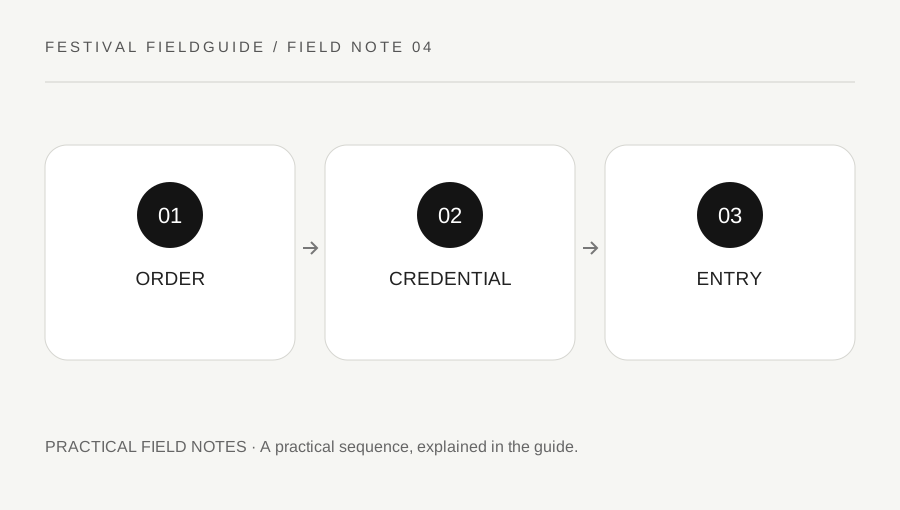
Original explanatory diagram. Examples illustrate a method or decision; they are not claims of personal testing.
Separate proof of purchase from entry access
An order email can confirm a transaction without being the item scanned at the gate. A festival may use a shipped wristband, a collection process, a mobile credential or another arrangement. Read the official instructions for your exact ticket and edition rather than assuming every event uses the same system.
Check the purchaser details, ticket date, weekend or day, and any collection requirements. If something is wrong, use the authorized provider's support route. Do not wait until the journey begins if the instruction already requires an action you cannot complete on the road.
Keep order numbers and credential codes private. Posting a clear photograph of a barcode or wristband code can expose access information. A public request for help should describe the issue without displaying the scannable or account-sensitive parts.
Read activation and payment setup separately
Some events offer wristband registration or cashless payment setup, but those functions are not automatically identical to admission activation. Lollapalooza's official activation page, for example, distinguishes its optional registration benefits from entry requirements. Check the live instructions rather than generalizing that policy to another festival.
If registration is offered, open it from the official event or provider page. Enter information only into the verified process and review which optional services you are enabling. A request to attach a payment method should not be confused with a universal condition for entering a festival.
For a worked example, an attendee has a valid wristband but is unsure whether adding a card is mandatory. The useful next step is reading the event's activation and payment guidance, not entering card details into a link sent by an unknown social account.
Handle transfer and delivery questions through policy
Ticket transfers, resale, name changes and replacement rules differ. Read the official policy before buying from another person or promising to pass a ticket to a friend. A screenshot or seller's assurance does not establish that the provider will accept the transfer.
If a shipment is missing or a credential does not appear in the correct account, contact the provider using the order information it requests securely. Do not repeatedly create new accounts, cancel a working link or buy a replacement without understanding the support options.
Keep a dated note of the official answer. A policy from a previous edition or another country may not apply. If the event has not yet published the relevant year's instructions, keep the question pending rather than presenting an old rule as confirmed current access.
Do a final check before departure
Confirm that the actual entry credential is available in the required form and that you know the appropriate entrance or collection point. If the process uses a mobile app, verify account access and follow its supported offline or wallet instructions. A screenshot may not work for a changing barcode.
Pack any required identification according to the official policy, while protecting it during the trip. Do not assume one person's document list fits every ticket type or age category. Keep support contacts accessible without relying on a single email buried in a full inbox.
Finish by stating the three steps clearly: order confirmed, credential ready, entry instructions understood. That small separation catches many avoidable problems. The goal is a usable authorized credential for the right date, with unresolved questions handled through the provider rather than improvised at a crowded gate.
A practical checklist
Choices are saved in this browser. Reset them here or clear this site’s browser storage.
Questions that come up
Is the order email always the entry ticket?
No. The event may require another credential or collection process. Read the official instructions for the purchased product.
Does every wristband need cashless registration for entry?
No universal rule applies. Check the specific event’s admission and activation instructions.
Can a screenshot prove a resale ticket is valid?
Not reliably. Use the provider’s supported transfer or resale process and current policy rather than a seller’s image alone.
References & scope
Background references checked on 18 October 2026. Worked examples and diagrams are original teaching material.